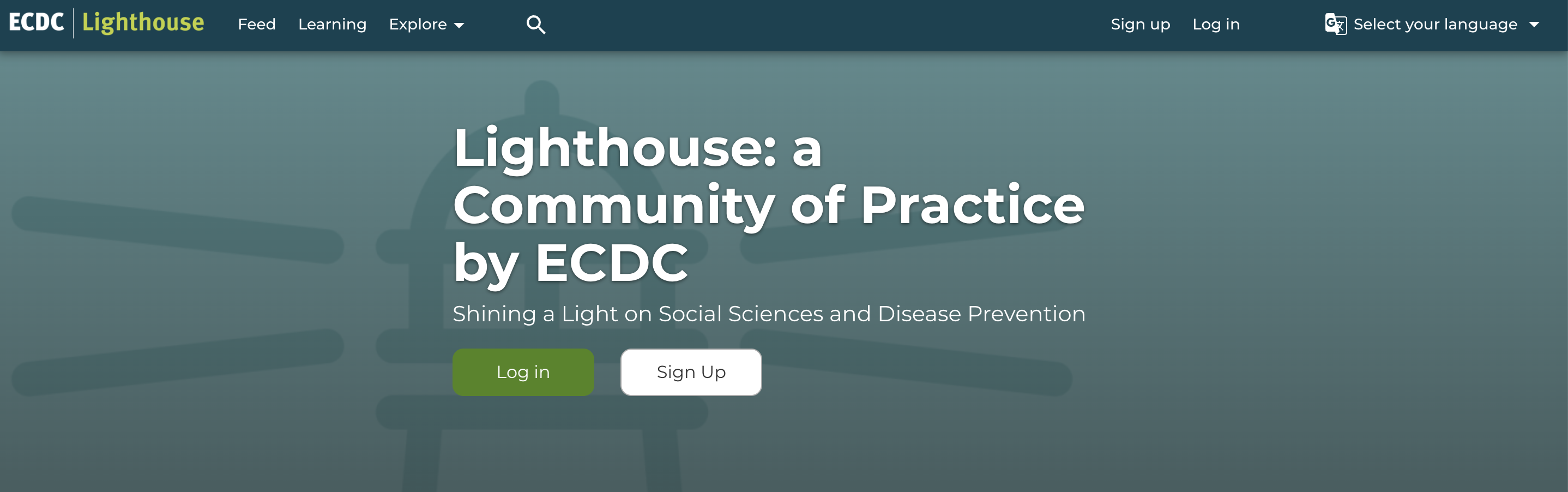
Step 1: Click on ‘Sign Up’
Go to https://prevention.ecdc.europa.eu/ and select the “Sign up” button at the top of the page:
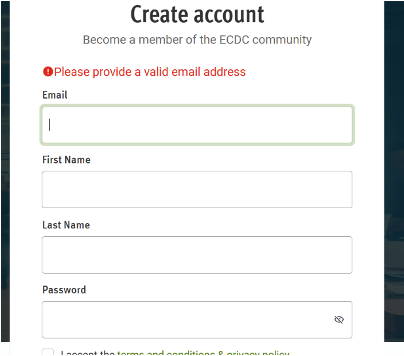
Step 2: Create account
Enter your email, personal details, and create a password:
- 8 characters minimum
- At least 1 uppercase, 1 lowercase, 1 number and 1 special character
You will receive a verification code via the email address you provided. Check your inbox (and your spam folder), enter the code and you will be logged in automatically.
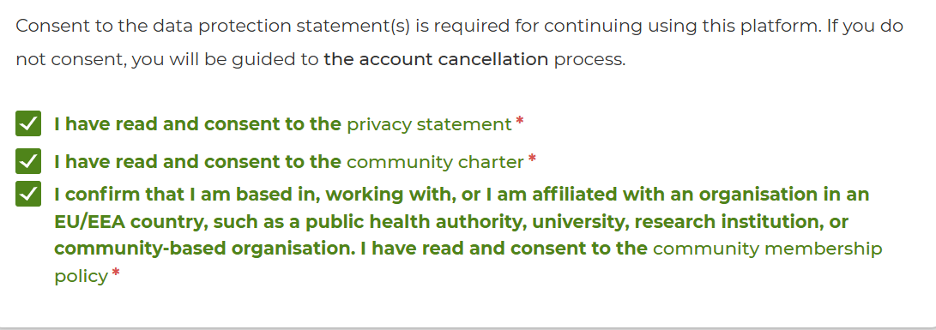
Step 3: Consent and affiliation
Review and agree to the privacy statement and the community charter. Confirm your affiliation to an organisation in an EU/EEA country. Don't forget to read the information provided in the links before you check the boxes to continue.
Step 4: Complete your profile
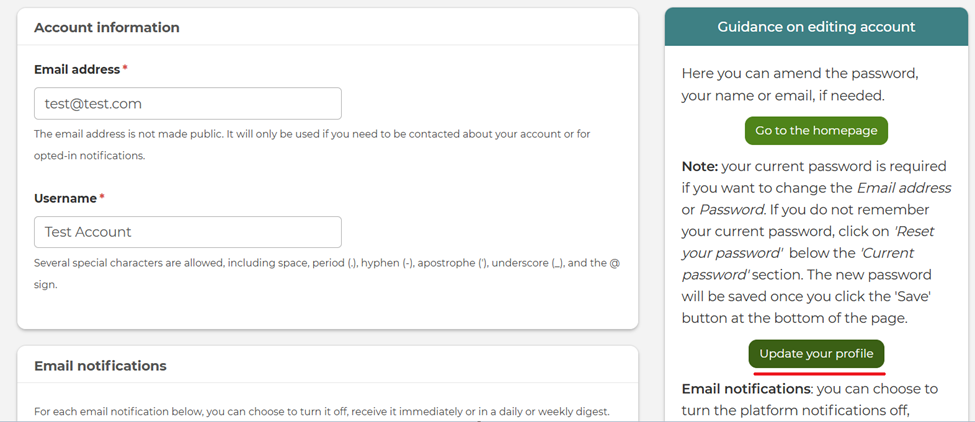
You will be brought to your ECDC Lighthouse profile page; you can edit your profile by clicking on the green box on the right side “Update your profile”.
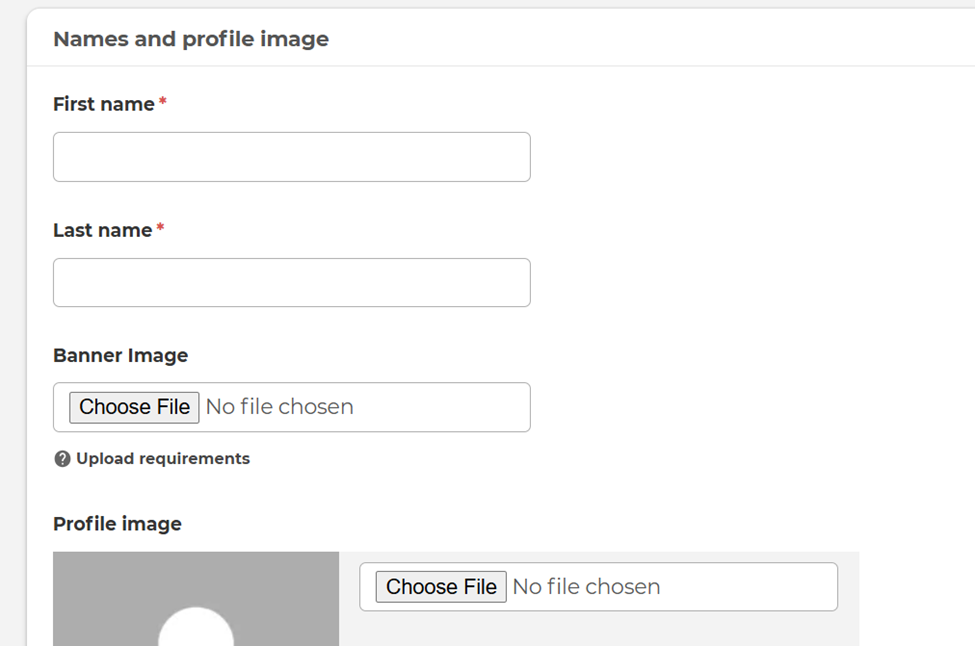
Upload a profile picture and fill out information about yourself, so that your peers in the Lighthouse community get to know you and can reach out to you.
Step 5: Profile verification
We will verify your profile within 1-2 working days. You will then have full access to the ECDC Lighthouse platform. During the verification process, we may reach out to you via the email you have provided.
Need help?
If you have any questions, do not hesitate to reach out to us at [email protected]
Forgotten your password?
Click “Forgot password” on the login page to reset it.